
Seasons and survival, already linked
Each site holds its monitoring plots, visits and survival rate, configured for your project with our team.
QField takes a QGIS project into the field with geometry editing, and it is open source. Restoration Scope gives field teams a configured app and keeps every visit linked to its site, season after season.
 Restoration Scope
It depends on your team. If you already work in QGIS, have someone to own the project and need GIS editing in the field, QField is open source with no licence cost. If nobody has time to maintain a QGIS project and its sync, and field, office and funders need the same records, Restoration Scope gives field teams a configured app and keeps every visit linked to its site. Existing QGIS layers come in rather than being rebuilt.
 QField QField | Restoration Scope | |
|---|---|---|
| What it is | An open-source field app (GPL v2+) from OPENGIS.ch for Android, iOS and desktop that takes QGIS projects into the field. | A restoration data platform with a configured field app. |
| Cost | As of October 2026: the app is free. QFieldCloud Community is free with 100 MB of sync space; Flat is €18–23 per user a month, Flex €28, Enterprise by quote. Nonprofits can ask for free or discounted plans, and it can be self-hosted. | Priced per project after a scoping call. No public price list. |
| Who sets it up | Usually someone who owns the QGIS project, layers and forms on desktop. Simple projects can start in the app. | Configured with our team around your project. Someone on your side owns the workflow. |
| Offline capture | Online or offline, syncing by cable or through QFieldCloud. | The Field App works offline: points, lines, polygons and photos. |
| GPS accuracy | Phone GPS, or an external high-precision GNSS receiver with NTRIP corrections. | Phone GPS, or an external GNSS receiver. |
| Editing geometry | Field geometry editing: snapping, vertex editing and freehand drawing, with GeoPackage, KML, GPX and georeferenced PDFs. | Points, lines, polygons and photos on the project map. |
| Seasons and survival | Possible if your QGIS data model links visits to sites. You build and maintain it. | Sites, nurseries and visits are linked records, configured for your project. |
| Donor reporting | Maps and reports made in QGIS, and PDF exports from QField itself. | Donor portals built from the same records the team keeps. |
QFieldGIS work happens in QGIS and QField. QGISLayers come in as files: Shapefile, GeoJSON, KML and KMZ, GeoTIFF.Restoration ScopeThey join the sites and records on the project map.
QGIS layers come into Restoration Scope as files (Shapefile, GeoJSON, KML and KMZ, GeoTIFF), so GIS work done in QGIS and QField is not rebuilt.
Checked against QField's own pages on October 17, 2026: QField, Documentation, External GNSS, QFieldCloud pricing, Land restoration and conservation.
These are Restoration Scope screens from our demo project and a public donor portal. To see QField, visit its own site.
Each site holds its monitoring plots, visits and survival rate, configured for your project with our team.
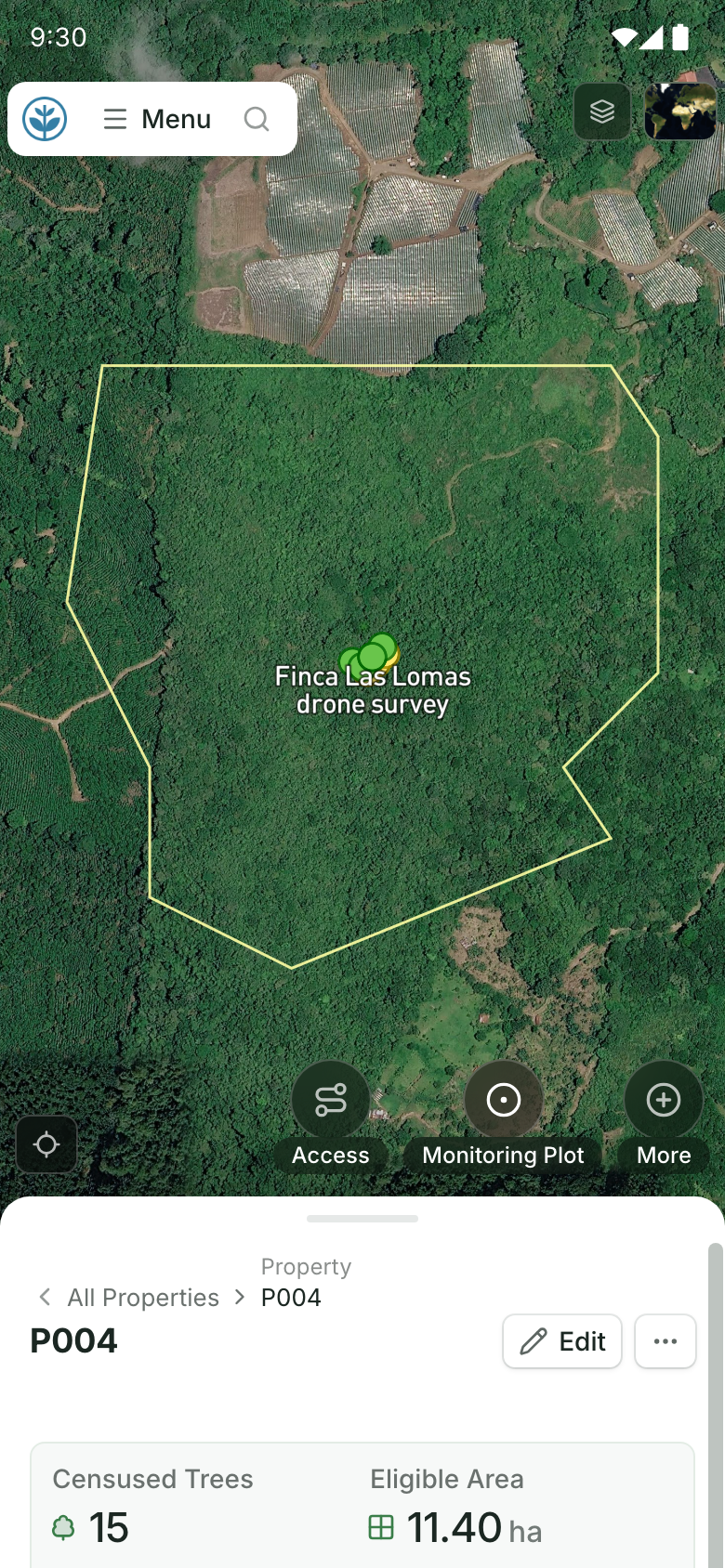
Field teams draw or walk points, lines and polygons in the Field App, and each one is saved to its site.
QField takes QGIS projects into the field, one part of a network of tools around QGIS. Restoration Scope is an adaptable platform with its own field app, so visits, sites and maps live in one system.
Where restoration records live, from word of mouth to custom softwareFor GIS editing, no: QField is the better tool. For running restoration operations and reporting on them, yes.
The app is open source and free. As of October 2026, QFieldCloud, the sync service, has a free Community tier with 100 MB, paid plans for teams, and free or discounted plans for nonprofits.
Yes. QField documents high-precision GNSS with NTRIP corrections, and the Restoration Scope Field App can use an external GNSS receiver too.
Yes. GIS files come in beside spreadsheets and survey forms, tied to the sites they describe.
Restoration Scope publishes this comparison. Something out of date? Write to info@restorationscope.com.
Bring in the spreadsheets, field forms and maps you already use, and see every site in one place.