
Each visit lands on its site
A site keeps its boundary, monitoring plots and visits together, so a record attaches to the site it belongs to.
KoboToolbox is one of the most trusted ways to collect field data, and it is free for nonprofits. Restoration Scope does a different job: it links what teams collect to the sites, seasons and funders it belongs to. Many teams use both.
 Restoration Scope
It depends on the job. If it is a form, such as a plot assessment or a household survey, and you have someone to own it, KoboToolbox is proven and free for nonprofits. If many sites, teams and seasons need to connect into one record that funders can see, that is the job Restoration Scope does. Many teams use both: Kobo stays in the field and its submissions join the sites they belong to.
 KoboToolbox KoboToolbox | Restoration Scope | |
|---|---|---|
| What it is | A general data-collection platform from a nonprofit, used in humanitarian, development and environmental work. | A restoration data platform: a configured field app, linked records, maps and portals. |
| Cost | As of October 2026: Community plan free for nonprofits, including government, UN and education, with 5,000 submissions a month and 1 GB of files. Paid nonprofit plans are $159–289 a month ($129–249 billed yearly); other organizations pay $25–359 a month. | Priced per project after a scoping call. No public price list. |
| Setup | Self-serve form builder or XLSForm, with 25 question types, skip logic and multilingual forms. | Configured with our team around your project. Someone on your side owns the workflow. |
| Offline capture | KoboCollect on Android and web forms both work offline. | The Field App works offline: points, lines, polygons and photos. |
| Knows your project | Forms validate answers and can pull lists such as sites from another project, but you design and maintain those links yourself. Without them, the same site can be entered twice. | The app carries your sites, species and plots, so a visit attaches to the site it belongs to. |
| Maps | A map of submission points, with GeoJSON export for GIS. | Sites and records on one project map, with geospatial data layers. |
| Donor reporting | Custom reports with charts and tables, plus exports to Excel, Power BI and others for dashboards. | Donor portals built from the same records the team keeps. |
KoboToolboxTeams fill in Kobo forms in the field.Restoration ScopeSubmissions join the sites and records they belong to.Restoration ScopeThe project map and donor portals show them.Restoration Scope takes in submissions from existing Kobo forms, so a team can keep Kobo in the field and add the system around it.
Checked against KoboToolbox's own pages on October 17, 2026: Features, Pricing, About Kobo, Data collection tools, Exports, Maps, Custom reports, Linking forms, Trillion Trees template forms.
These are Restoration Scope screens from our demo project and a public donor portal. To see KoboToolbox, visit its own site.
A site keeps its boundary, monitoring plots and visits together, so a record attaches to the site it belongs to.
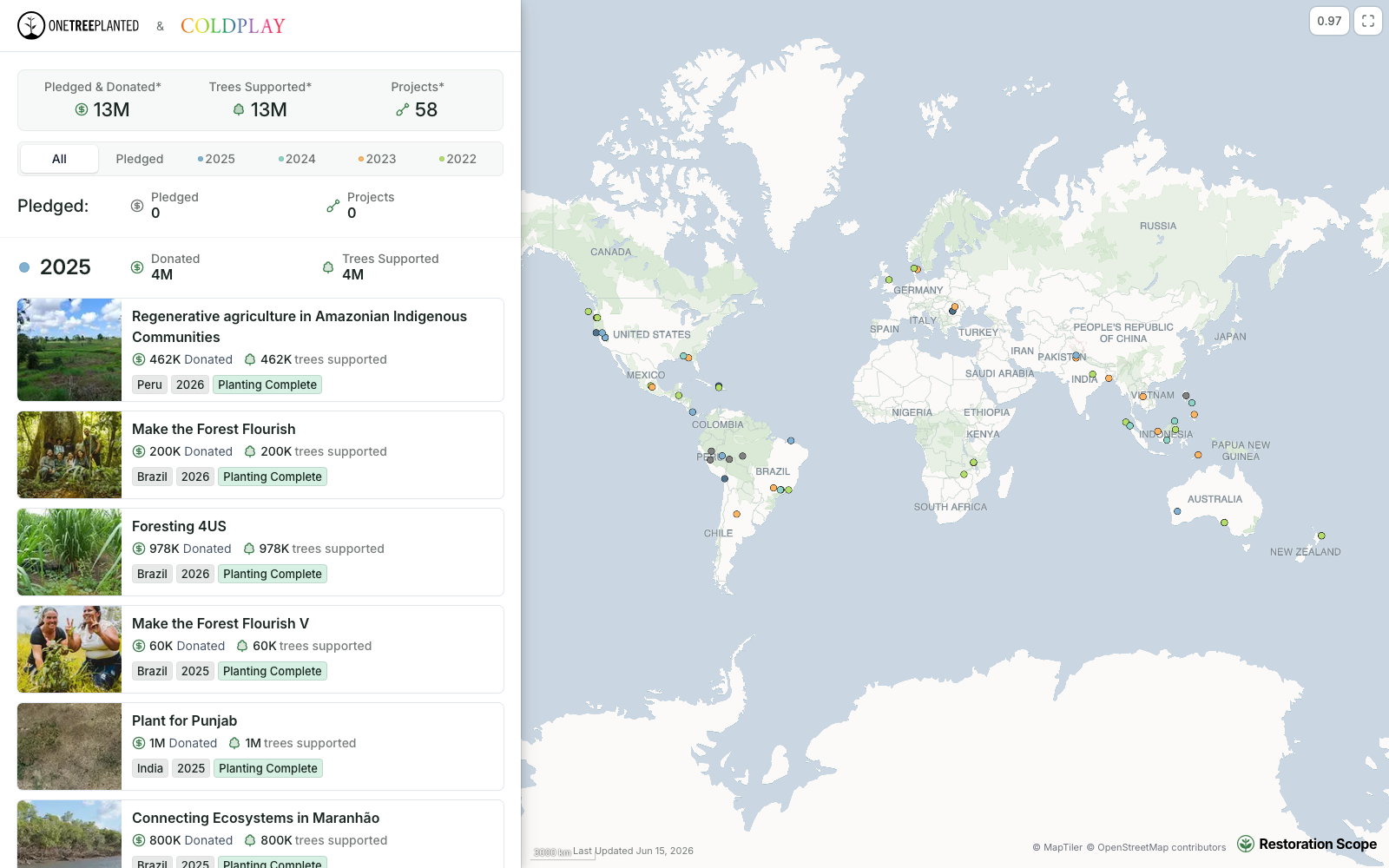
Each funder gets their own portal: their totals, then every project they support, kept current by the records the team keeps.
KoboToolbox is a survey app that works as one part of a network of tools, beside a spreadsheet and a GIS. Restoration Scope is an adaptable platform: it takes in Kobo submissions and keeps them in one record with land, sites and maps.
Where restoration records live, from word of mouth to custom softwareFor collecting surveys, no: Kobo is proven and free for nonprofits. Restoration Scope replaces the spreadsheets, scripts and reports teams build around Kobo to turn submissions into a project record.
Yes, within limits. As of October 2026, its Community plan is free for nonprofits, including government, UN and education organizations, up to 5,000 submissions a month. Companies, such as for-profit carbon project developers, pay from $25 a month.
Yes. Restoration Scope maps your Kobo form fields to project fields and brings submissions in. Capture in our Field App is added only where it suits the work.
KoboCollect is built from ODK Collect and both read XLSForm, so collection works much the same. Hosting, pricing and how records link across forms differ: ODK can be self-hosted or rented as ODK Cloud.
Restoration Scope publishes this comparison. Something out of date? Write to info@restorationscope.com.
Bring in the spreadsheets, field forms and maps you already use, and see every site in one place.